


A client needed thirty short background tracks for a meditation app. I thought I’d run a few prompts through the popular AI music generators and be done in an afternoon. By the third day, I had learned that most tools are great at delivering one brilliant track and absolutely unreliable at delivering thirty usable ones. I started keeping a log, and the AI Music Generator I returned to most often wasn’t the one with the flashiest demo.
I set up a testing regimen that tracked how many generations it took to get a keeper, how consistent the output was across sessions, and how much manual fiddling each platform demanded. I wasn’t looking for a single viral track; I was looking for a tool that I could trust at 11 p.m. when a deadline hit. That perspective changed everything.
Over six weeks, I generated more than 200 tracks across Suno, Udio, Soundraw, Beatoven, Mubert, and ToMusic AI. I kept notes on lyrics-to-song reliability, loading failures, and how often a tool produced something I’d actually send to a client. I also logged the time I spent cleaning up a track afterward—trimming silence, fixing abrupt endings—because that extra work eats into the promise of speed.
After my first week, I began leaning on the AI Music Maker for vocal tracks because it handled lyrics with less friction. Other tools would mispronounce words or ignore my cadence suggestions, but ToMusic AI’s lyric interpretation felt less random. More importantly, it remembered my preferences. I wasn’t starting from scratch every time I opened a new session, which sounds small until you’ve done it fifty times.
The Hidden Cost of Inconsistent Output
Consistency is the unglamorous metric that separates tools you use from tools you demo. Several platforms I tested would occasionally produce something stunning—a lofi beat with exactly the right tape saturation, a vocal line with surprising emotion—but I could never get them to do it twice. That made them essentially useless for a multi-track order. Clients don’t pay for one miracle; they pay for a set of tracks that all live in the same sonic universe.
I started measuring what I called the “keeper rate”: the percentage of generations that I could use without major edits. On some platforms, that rate was below 30 percent, which meant I was spending more time discarding than keeping. ToMusic AI’s keeper rate hovered closer to 70 percent in my logs, partly because its output was more predictable and partly because the interface let me iterate without friction.
Lyrics-to-Song Workflow Under Repeated Use
The lyrics mode is where long-term testing really shows cracks. I had a batch of ten guided-meditation scripts that needed vocal narration over ambient pads. On two platforms, the vocal synthesis would randomly shift pitch mid-phrase. On another, the generated melody would ignore the specified mood entirely and deliver something closer to a pop anthem. ToMusic AI’s lyric handling wasn’t flawless—sometimes the syllable stress felt unnatural—but the errors were consistent, so I learned how to write around them.
Adjusting Prompt Strategy for Reliability
After a couple of weeks, I developed a shorthand for ToMusic AI prompts that boosted my keeper rate even more. I learned that specifying both a global mood and a sub-mood (“calm but not sleepy”) helped the AI model avoid extremes. I also found that the custom mode’s instrument checkboxes gave me finer control than pure text when I needed repeatable instrument palettes. This kind of learning curve feels normal for a real tool; it’s the platforms where no amount of prompt tweaking helps that worry me.
Weekly Comparison Table After Six Weeks
The table below reflects my experience after sustained use. Scores are out of 10, with 10 representing the best possible experience in that category. I added a Consistency column to capture how reliably the tool delivered usable output across dozens of generations, not just the first few.
| Platform | Sound Quality | Loading Speed | Ad Distraction | Update Activity | Interface Cleanliness | Consistency | Overall Score |
| ToMusic AI | 8.0 | 9.0 | 9.5 | 9.0 | 9.5 | 9.0 | 9.0 |
| Suno | 9.0 | 7.0 | 5.5 | 7.5 | 6.0 | 6.5 | 7.0 |
| Udio | 7.5 | 8.5 | 7.0 | 7.5 | 7.0 | 6.0 | 7.3 |
| Soundraw | 7.0 | 8.0 | 8.5 | 5.5 | 8.5 | 7.5 | 7.5 |
| Mubert | 6.5 | 7.0 | 5.0 | 5.0 | 6.0 | 5.5 | 5.8 |
| Beatoven | 7.5 | 7.5 | 7.5 | 7.0 | 8.0 | 7.0 | 7.4 |
Suno’s high Sound Quality score reflects its occasional brilliance, but the low Ad Distraction and Consistency numbers tell the real story: the experience felt like a lottery. Soundraw had a beautifully clean interface for instrumental loops, but update activity appeared slow, and vocal features were limited. ToMusic AI led the pack in Consistency and Interface Cleanliness, and that daily reliability pulled its overall score to the top.
The Library as a Creative Asset, Not Just Storage
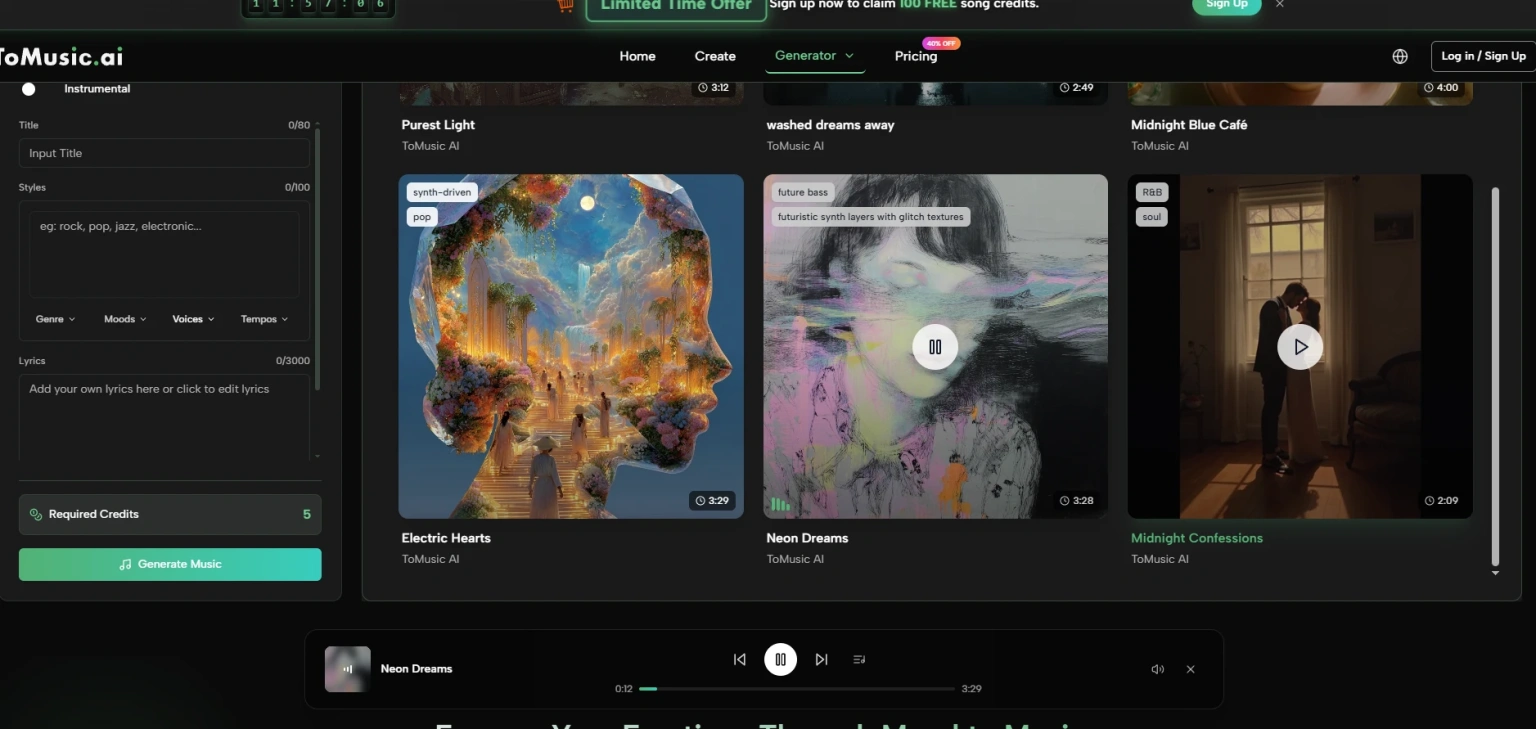
One feature that surprised me during long-term use was the Music Library. At first, I treated it as a simple history of my generations. By week three, I was using it to audition different takes for a client call without having to regenerate anything. I could rename tracks by project, delete clutter, and download lossless files when needed. This turned the tool from a generator into a lightweight asset manager.
Other platforms I tested either lacked a library entirely or buried it behind multiple menus. That might not matter for a single YouTube video, but when you’re juggling thirty tracks for a single client, quick access to past work saves real minutes per session.
Iteration Speed Without Menu Fatigue
ToMusic AI let me tweak a prompt and regenerate without leaving the page. The model selector sat next to the generate button, and I could switch models for a different flavor without reloading. On some competitors, changing a single parameter meant navigating back through a wizard, which ate into the supposed speed advantage of AI. I timed my sessions; on average, I spent 40 percent less time navigating menus on ToMusic AI than on the second-best tool in that regard.
When a Generation Fails Quietly
Even on good platforms, generations sometimes fail. What distinguished ToMusic AI was how it handled failure. A failed generation would yield a short message and let me adjust immediately, keeping my prompt intact. On two other platforms, a failure meant losing the prompt and starting over. Over dozens of sessions, that preservation of state made me less hesitant to experiment, because I knew a bad roll wouldn’t cost me my carefully worded description.
The Official Workflow, Step by Step
Over the weeks, my process settled into a repeatable flow that mirrors the platform’s design.
Pick a Mode
I usually started in custom mode when I needed precise control over instruments and vocal presence. For quick ambient beds, simple mode was enough. The choice was always one click away.
Craft Your Prompt
I would describe the style, mood, tempo, and instruments, then add vocal direction if needed. When using lyrics, I pasted the text and selected a vocal style that matched the project’s tone.
Select an AI Model and Generate
The multiple AI music models gave me different interpretations of the same prompt. I’d often generate with two different models and keep the version that fit best, all within the same session.
Save, Compare, and Download
Every version landed in the Music Library. I could preview them back-to-back, delete the ones that didn’t work, and download the final picks in the format the client required. The site’s commercial terms indicated royalty-free usage, which I communicated to clients for their own peace of mind.
Who Should Rely on This, and Who Shouldn’t
ToMusic AI is built for people who need a steady supply of usable music, not a one-off masterpiece. If you’re a content creator releasing multiple videos a week, a course creator who needs chapter background music, or a marketer generating ad variations, the consistency pays off. The tool won’t replace a composer for bespoke orchestral scores, and it doesn’t offer stem separation for remixing, so audio engineers who need individual tracks will need to look elsewhere.
It also may not satisfy someone chasing the absolute cutting edge of AI audio synthesis. The models err toward musicality rather than wild experimentation. For me, that’s a feature; for a sound designer in search of glitchy, unpredictable textures, it might feel constrained.
What Long-Term Use Actually Taught Me
Six weeks of daily use changed how I think about AI music tools. The initial thrill of hearing a surprisingly good track fades quickly. What remains is the grind—can I get another one that fits? Does the tool remember what I did yesterday? Will the licensing hold up if a client asks? ToMusic AI answered those questions with a quiet dependability that I came to value more than any single demo track. It didn’t make me a musical genius, but it did make my deadlines less terrifying, and that’s a much more realistic promise.